Every summer, I see the same scenario at the restaurants I work with. The dining room fills up with tourists, revenue climbs, but the average spend stays flat or drops. The reason is silly: a good part of these customers cannot read your menu. They do not understand your dish names, your specials or your wine list, so they order the dish they recognise and leave. I am the founder of Pépite Pass, and here is why a multilingual QR code menu that translates itself is one of the simplest levers for winning back that average spend lost in summer.
☀️ In summer, half your dining room cannot read your menu
In a tourist town, a seaside restaurant or a busy district, the share of foreign customers explodes from June to September. English, German, Spanish, Italian and Dutch visitors, and more and more tourists from much further away.
They are hungry, they want to eat well, they have a holiday budget. The only obstacle between them and a good spend is your menu, which they cannot read.
We underestimate how much a menu is a wall for someone who does not speak the language. A line like "sea bream tartare, yuzu condiment, buckwheat tuile" is appetising for a local, but a riddle for a German tourist.
👉 Faced with the riddle, the brain takes the shortest path: it orders what it already knows.
- They pick the dish with an international name they recognise (burger, pizza, Caesar salad), even if it is not your speciality.
- They avoid the names they do not understand, so often your signature dishes, the ones with the highest margin.
- They skip the starter and the dessert, because reading the whole menu is too much effort.
- They do not order wine by the glass, because they do not know what goes with what.
- They ask the waiter three questions, who cobbles together a translation while the next table waits.
Multiply this behaviour by the number of tables taken by tourists on a July evening. This is not a small leak, it is a large share of your summer revenue being ordered at random, by default.
🎲 The customer who does not understand orders less, and at random
The real cost is invisible, because the table pays anyway. The tourist eats, they are happy, they may even leave a good review. Except that you took in one dish and a jug of water where a customer who understands the menu would have had a starter, a signature dish, a glass of wine and a dessert.
The gap in spend between the two is your summer margin. 💸
💸 Why the language barrier hits your margin directly
The items that push up a bill are precisely the ones that require reading and understanding: the specials of the day, the food and wine pairings, the extras, the homemade desserts described in one mouth-watering line, the signature cocktails. Everything you worked on to create desire rests on words. If the customer does not read those words, they do not buy what they sell.
And there is a more insidious effect: doubt. A customer who is unsure what a dish is, when in doubt, does not order it. The language barrier turns every slightly creative name into a risk, and nobody takes a risk on a restaurant bill while on holiday with the family.
📱 The multilingual QR code menu, in practice
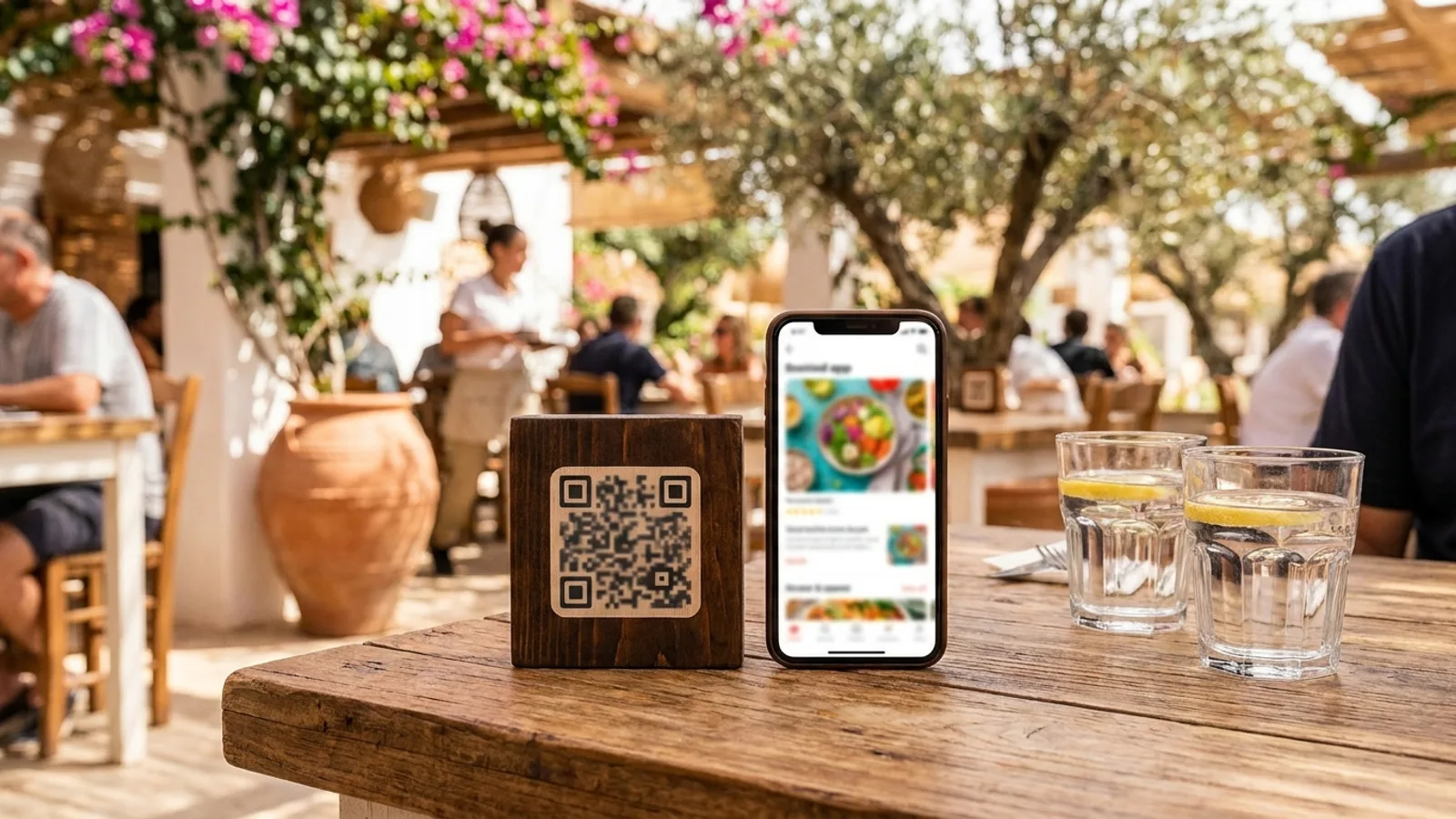
The solution fits in one sentence: the customer scans a QR code on the table, your menu opens on their phone, and it is translated into their language automatically. No app to download, no account to create. They use the camera already in their pocket.
⚡ The tourist's journey in a few seconds
- They point their phone camera at the QR code on the table.
- Your menu opens in their browser, in the language of their phone (English for an English visitor, German for a German visitor).
- They read your dishes, your descriptions, they see the photos, they finally understand what they are ordering.
- They order with confidence, with a starter, a main, a side and a dessert, because everything is clear.
The translation is automatic. You write your menu once, in your own language, and it appears translated for each customer in their language. You do not manage ten versions by hand, you do not pay a translator at every price change, you do not reprint anything.
A question about automatically translating your menu? Write to me, I reply personally
⚔️ Automatic translation versus a hand-translated laminated menu
Many restaurants have already tried to answer the problem with a second menu, the laminated English version. It is better than nothing, but it drags three flaws that cost dearly in summer.
- It is frozen: the day you change a price or a dish, the translated version becomes wrong, and you never redo it fast enough.
- It is limited to one or two languages: English, sometimes Spanish, never German, Italian and Dutch at the same time.
- It costs money at every redesign: translating, laying out, printing, laminating, for each language, every season.
The translated digital menu solves all three at once. You edit your menu in your own language from your dashboard, and every language follows instantly. In a single move you cover your customers' languages, not just English. And you pay for no reprints, because there is nothing to print except the QR code.
📈 What translation really lifts on the bill
Once the barrier falls, a tourist's average spend naturally moves closer to that of a local customer, and sometimes goes past it (on holiday, people treat themselves). Here is exactly where the gain comes from.
- Starters and desserts: a customer who reads a mouth-watering description of your homemade dessert wants to order it. A customer who sees an incomprehensible name walks past.
- High-margin signature dishes: translated and explained, they stop being a risk and become the dish people want to try.
- Wine and drinks: a tourist who understands the suggested pairing orders a glass, sometimes a bottle, instead of a jug of water.
- Extras and options: double portion, sauce, side, everything that is described and understood sells.
- The specials of the day: your best potential seller, often completely invisible to anyone who does not read your language.
Add the photos. On a digital menu, every dish can carry a photo. For a customer who does not master the language, a good photo is worth a thousand translations: they see it, they want it, they order it. ✨ It is a lever a paper menu can never offer.
I am not going to invent a magic percentage for you, because it depends on your menu and your clientele. But the logic is simple and solid: the more a customer understands and sees what you offer, the more they order. Removing the language barrier means you stop holding back half your dining room during the months that make your year.
⏱️ Setting up your translated menu in ten minutes
The classic fear is the tech. You run a restaurant, not an IT department, I understand. The good news: setting up a translated digital menu requires no technical skill.
- Create your account (a few minutes, just the restaurant's details).
- Import your menu: you send your menu as a PDF, the AI import reads your dishes, your categories and your prices, and rebuilds everything automatically.
- Review and tweak two or three names, add photos to your signature dishes.
- Automatic translation handles the languages, you have nothing to translate yourself.
- Generate your QR code and place it on the tables, the counter and the shopfront.
Allow around ten minutes for a working menu, scannable and translated. The longest part is not the translation, it is choosing the photos of your dishes. The machine does the rest.
🗺️ Booking and discovery: what it replaces, and what it does not
A word of honesty, because I hate vague promises. The digital menu includes online booking. The customer books their table directly from your page, and you pay no per-cover commission like on a booking directory. On that specific point, it does replace the per-cover billing of a TheFork.
But let me be clear: it does not replace TheFork's discovery marketplace. A tourist who opens TheFork to find a restaurant near their hotel will not be captured by your booking page on its own. Discovery happens elsewhere: on your Google Maps listing, on your shopfront, by word of mouth. The translated menu steps in once the customer is there or has found you: it turns the visit into a better spend, it does not create the visit for you.
That is exactly why I advise you to look after your presence first where tourists look for you (Google Maps first), then let the translated menu lift the spend once they are seated.
🔥 The mistakes to avoid with a multilingual menu
- Hiding the QR code: tiny on the back of the table stand, nobody scans it. Put it clearly on show, with an icon and a short line such as "Scan for the menu in your language".
- Translating into English only and thinking it is sorted: cover the real languages of your summer customers, not just the most obvious one.
- Forgetting the photos: for a tourist, the photo does half the translation work.
- Letting the menu go stale: digital only pays off if you keep it up to date, use the instant updates to keep it alive.
- Not briefing the team: a waiter who mentions the QR code to the foreign table is three seconds that unlock the whole order.
None of these mistakes is technical. They are habits of use. Put the QR code front and centre, keep the menu up to date, add photos, and your multilingual menu works for you all summer. 😌
🚀 Going further, and testing before summer
If you want to dig into the QR code menu beyond translation, here are a few guides that complement this one.
- The complete guide to the QR code digital menu: real-time updates, commission-free click and collect and taking back the customer relationship from delivery platforms.
- Optimising your Google Business Profile, the number one place where tourists find you before they even read your menu.
- Turning a happy tourist into a regular with a digital loyalty card in Apple Wallet and Google Wallet.
The best way to see the effect is to test before summer. You import your menu as a PDF, it translates itself, you generate your QR code, and you measure it on your average spend. The trial is free, with no bank card and no commitment. If it earns you nothing, you leave. But I bet that from the very first big tourist service, you will see the difference on desserts and wines.