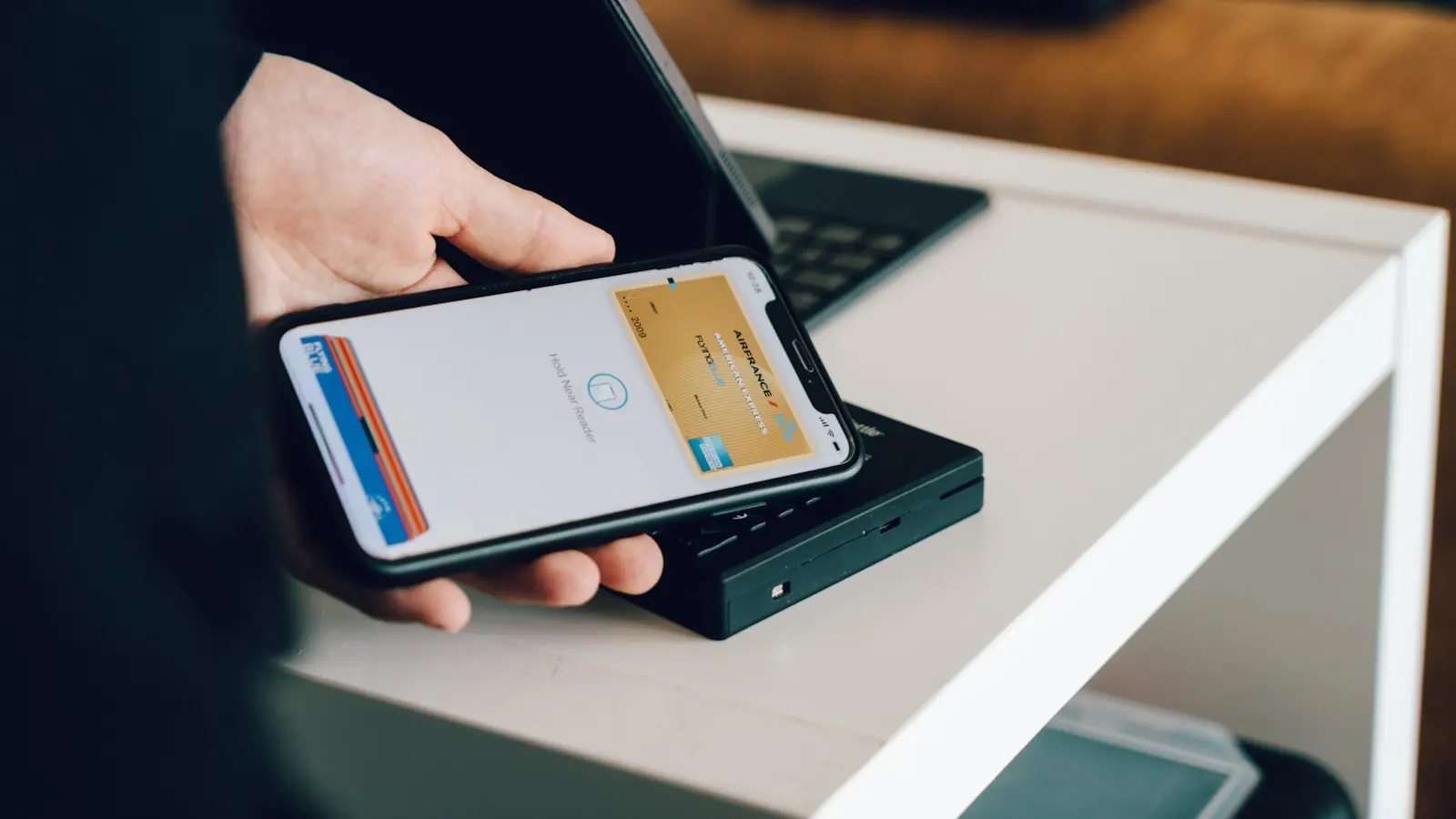
Your customers already have your loyalty card in their Wallet. You can send them a message that shows up on their lock screen, next to WhatsApp, for free, as many times as you like. It is probably the most underused wallet feature there is, and the one that pays off fastest when you use it well.
I'm Léo, founder of Pépite Pass. Every week I see restaurants discover that they have, in their pocket, a direct marketing channel that is more effective than text messages, free, and with an open rate of 80 to 95% depending on the campaign. This article shows you in concrete terms what wallet push can do for your business, and what it cannot do, because there are real limits you need to know about.
🤫 1. Why wallet push is the silent weapon everyone underestimates
When a customer adds your Pépite Pass card to their Apple Wallet or Google Wallet, nothing much happens visually: one more card on their phone. Except that, at that exact moment, you have just gained three things no other channel gives you at the same time:
- A direct notification channel on the phone's lock screen, next to text messages and WhatsApp messages, with your logo and your brand colour.
- No cost to send: zero cents per message, unlike the 4 to 8 cents of SMS marketing.
- An implicit opt-in: the customer added the card of their own accord, so your right to notify them is clear under GDPR (legitimate interest plus consent evidenced by adding the card).
Wallet push is silent because nobody talks about it. SMS marketing has its agencies, its software (Spotmesh, Sendinblue, Brevo), its training courses.
Wallet push, on the other hand, is built into tools like Pépite Pass and has no market of its own. The result among our restaurant and business-owner customers: fewer than one in ten really make use of their pushes, even though it is typically the lever that brings covers back in the very first week.
To understand why it works, you have to understand where it shows up.
📱 2. In practice, how it lands on the customer's screen
Picture a Tuesday lunchtime. Your customer has had your card in their Apple Wallet for three weeks. You push them a message from the Pépite Pass dashboard: "Dish of the day: duck breast in honey-rosemary sauce, €17. Available from noon to 2pm."
Here is the exact sequence on the customer's side:
- On the lock screen, a notification appears with your card's name in the header (e.g. "Café des Halles"), a subtitle you can customise, and your message in two lines.
- Your card's logo is shown to the left of the notification (not the anonymous Apple Wallet icon). It is a visual detail that makes all the difference: the customer sees your brand, not a generic message.
- A tap on the notification opens your card straight away in Wallet: they see their stamps, their points balance, their rewards. They are in your world in one second.
- No jarring sound and no intrusive pop-up: it is the same experience as a standard iMessage notification. It breaks nothing, and it does not wake anyone if the phone is on silent.
On Android, the result is very similar: the Google Wallet notification appears in the notification drawer with your logo and your brand colour. One small difference: on some Samsung and Xiaomi phones, the manufacturer's skin can group wallet notifications into a special category.
Let's be clear about two limits:
- No clickable link in the push. The tap opens the wallet card, full stop. You cannot send the customer to a TheFork booking or a PDF menu straight from the notification. You make up for it by putting those links on the back of the card (the "website" and "phone" fields, which are clickable).
- No image in the push. It is text only. The wallet card itself can show an image (logo plus a hero visual), but the notification stays plain.
📊 3. Wallet push vs SMS vs email: the numbers compared
To place wallet push against the other direct channels, here is the comparison I pull out when a restaurant owner asks me "why not text messages".
| Criterion | Wallet push | SMS marketing | |
|---|---|---|---|
| Cost per send | €0 | ~6 cents | ~0.1 cents |
| Observed open rate | 85-95% | 90%+ | 20-30% |
| Click / action rate | 20-35% | 5-15% | 2-5% |
| Visual branding | Logo + colour | None | Full |
| Clickable link | No (opens the card) | Yes | Yes |
| Opt-in required | Implicit (adding the card) | Strict GDPR consent | Strict GDPR consent |
| Channel fatigue | Low (rare and targeted) | High (saturated channel) | Very high |
SMS stays unbeatable on one point: the clickable link. If your campaign depends on an immediate click through to a URL (book, order, download a coupon), SMS wins.
For everything else (an offer reminder, the dish of the day, waking up a lapsed customer), wallet push crushes it on ROI because it costs zero and has a stronger visual impact. It is also a less saturated channel than SMS, which has lost deliverability since French carriers tightened their anti-spam filters in 2025.
In concrete terms: a restaurant with 800 cards added that sends 2 campaigns a month does the equivalent of 19,200 text messages a year, so around €1,150 saved. For less than the price of a coffee a day, the push channel alone pays for the tool several times over.
And that calculation ignores the extra revenue generated by the visits, which is where most of the gain sits. At equal volume, a push to 800 people that brings back 25 customers at €22 generates €550; the same text-message campaign costs €48 before you even see a penny of margin.
The other real limit of SMS: it vanishes once read. Wallet push, on the other hand, does not disappear: the card stays in the Wallet, and the customer can reopen it an hour, a day, a week later and see their stamps, their balance and the last offer shown.
It is a storing channel, not just a sending channel. ✨
📍 4. Geofencing: showing up when the customer walks past
This is the feature that makes everyone go "ah, right" when I show it in a demo. Apple Wallet and Google Wallet let you set GPS coordinates on a card.
When the customer's phone comes within about 100 metres of your premises, the card automatically surfaces on the lock screen. Without you having to send anything at all.
Picture the scenario. Your customer lives 600 metres away. They head out to walk the dog. They pass within 80 metres of your restaurant.
Their phone detects the zone and surfaces your card above the clock on the lock screen. They see: "Café des Halles, 7 stamps out of 10, only 3 coffees to go before a free one." They pop in and grab a croissant. 🥐
What you need to know about geofencing:
- It is passive: you are not sending a push, it is the OS deciding to show the card. No possible saturation, it is extremely discreet.
- The customer must have enabled location for Wallet. On iOS it is asked once when adding the card, and most people accept.
- Very powerful for high-street businesses: bakery, café, hair salon, beauty salon. Less relevant for a destination restaurant people drive to.
- You can set several GPS points: if you have two locations, both surface depending on the zone.
- On Android, Google Wallet geofencing exists but is less consistent depending on the manufacturer.
Among our customers, geofencing is not easy to measure (you cannot track "X customers came in because of a passive surfacing"), but the simple fact that the card is visible and tappable a metre from your window is worth all the flyers in the world.
The bonus: once the card is open, the customer also has your phone number and website address in front of them (the back-of-card fields). Tapping to call or open the website is instant.
One practical tip: if your business is on a busy shopping street, put the GPS point right on your window, not on the street number geocoded by Apple Maps. For some addresses, geocoding places the pin 50 metres from the real entrance, and you miss half the people walking past. A quick look at Google Maps satellite view is enough to grab the real coordinates.
Setting up geofencing on your card, I'll show you live
🚀 5. The 5 push campaigns that genuinely bring people back
Not all push campaigns are equal. Here are the ones that, in our data, deliver a positive ROI almost every time.
⏰ Campaign 1: waking up lapsed customers (60-90 days)
The customer has not been back for 60 days. You push them a message along the lines of: "It's been a while! Your card has 6 stamps out of 10. A free coffee is still waiting for you."
👉 It is the most profitable campaign, full stop.
We see return rates of 12 to 18% on the targeted segment, which is enormous when you pay nothing to send it.
🎂 Campaign 2: birthday (the day before or the day itself)
If you have the date of birth in your dashboard (an optional field at sign-up), a push saying "Happy birthday! A free dessert to celebrate, on your next visit" runs at 25-35% redemption within 30 days. It is the campaign that creates the most emotional attachment.
☀️ Campaign 3: weather push (sunny terrace, cold rain)
The morning of a Wednesday at 24°C and sunshine: "Terrace open this lunchtime, sunshine guaranteed. Dish of the day: goat cheese and fig salad, €14." The direct link between the weather and the urge to eat out is well documented: up to 18% more potential footfall when you catch that window. A push at 10am to 500 cards easily brings back 15-25 covers at lunch.
🍽️ Campaign 4: priming a slow midweek service
Tuesday 5pm, you know Tuesday evening is quiet. Push at 5:30pm targeting customers who have already come in the evening (the "dinner only" segment): "Quiet Tuesday tonight, shall we keep a table for you? Book on 01 XX XX XX XX." Note that this is exactly the lull that SMS marketing fills, but here at zero cost.
🆕 Campaign 5: menu news / event
You are changing your seasonal menu, running a food-and-wine pairing evening, hosting a guest chef. Wide push to the whole base: "New summer menu, available from Friday. 8 brand-new dishes, 3 house cocktails." A good tool for spreading the word, a poor tool for selling directly: the short-term ROI is low but the branding impact is real.
What does not work, on the other hand:
- The "permanent promo" pushes along the lines of "-10% all week". Too generic, it erodes perceived value and drives up opt-outs.
- The mistimed pushes: pushing the dish of the day at 1:45pm when service closes at 2pm is burning a card for nothing.
- Pushes that are too frequent: beyond 4-5 a month, you see the removal rate climb from 1-2% a month to 5-6%. You lose your base.
✍️ 6. The writing rules (length, tone, frequency)
A successful wallet push has a precise shape. Here is what we have taken away after seeing a few thousand campaigns go by.
- 80 to 100 characters on the main line. Beyond that, it gets cut off with a "..." on the lock screen and the impact is broken.
- One idea per push. Not "New menu + Thursday event + dish of the day". One message = one expected action.
- No need to sign off. Your card's name is already in the notification header. "Café des Halles" appears automatically.
- No excessive emoji. One, at the start or end, is fine. Three or four looks like spam and the brand effect drops.
- A conversational tone, not a marketing one. "There's sun out and chilled rosé" works better than "Enjoy our summer offer".
- One concrete piece of information: a dish, a price, a time, a name. The push has to give a reason to come in today or tomorrow, not later.
On timing:
- Lunch restaurant: push between 10:30 and 11:30am. The customer is getting hungry, choosing where to eat, and your card is at the top of the decision pile.
- Evening restaurant: push between 5 and 6:30pm, definitely not after 7pm (the customer has already decided or is on their way).
- Bakery / café: 7-8am for the morning ritual, 4pm for the afternoon snack.
- Hair salon / beauty salon: Thursday and Friday morning for weekend appointments. Monday to plan the week.
- Never on a Sunday evening unless it is urgent, it is a fragile moment, the customer is in "screen detox" mode.
🔥 7. The mistakes that kill your opt-in (and how not to spam)
The opt-in for a wallet push is the customer keeping your card installed. The day they delete it, you also lose their email address and their loyalty-programme data (unless they sign up again). Here are the traps that drive people away.
- Pushing more than 4 times a month. Above that, the customer starts to see your card as intrusive. Deletion follows within the month.
- Pushing pointless messages: "Have a great week everyone!" or "Hello from [restaurant name]!". Every push has to bring genuine information or a genuine offer.
- Pushing to the whole base with no segmentation. A customer who comes in at lunch during the week has no use for a push about a Saturday night event.
- Pushing at the end of service: 2pm for lunch, 10pm for the evening. It is useless and it irritates.
- Faking urgency: "Only 3 spots left!" when it is not true. The customer catches on once, then twice. You lose their trust and the card.
The golden rule I give every Pépite Pass customer: before sending a push, ask yourself "if I received this message, would I want to keep the card or delete it?". If there is any doubt, do not send it. One excellent campaign a month beats four lukewarm ones.
💰 8. Measuring the ROI of a push campaign
Wallet push is not a click-trackable channel (since there is no clickable link). But it is measurable in other ways. In the Pépite Pass dashboard, every campaign shows:
- Number of cards targeted: how many received the push.
- Display rate: how many devices actually delivered the notification (~85-95% depending on the OS and network conditions).
- Card open rate: how many customers tapped the notification to open their card within 24 hours. This is your engagement indicator.
- Attributable in-store visits: the customers who scanned their card at your place within 7 days of the push. This is the most important business indicator.
To work out the ROI:
- Campaign cost: €0.
- Writing time: 5 to 10 minutes. At a restaurant owner's hourly cost, let's say €5.
- Attributable visits × average spend: if the campaign brings back 20 customers at €25, that is €500 in revenue.
- Gross ROI: ~10,000%. Yes, two orders of magnitude, because the marginal cost is zero.
The real issue is cadence: if you run 2 well-targeted campaigns a month that each bring back 10-20 customers, you generate €500 to €1,000 in recurring extra revenue. For the equivalent of a coffee a day, the push channel alone easily justifies the tool.
All the technical side of sending is handled by Pépite Pass: you write your message, we take care of the rest. One nuance: deliverability depends on the customer's phone (Samsung and Xiaomi sometimes smother notifications by default). In practice, we see average deliverability of 90% across all operating systems, which is still better than any other channel.
One last point: not all your customers respond to push the same way. A loyal customer who comes in every week does not need a push, you see them anyway. A customer who has come in 3 times in 6 months does need the reminder. Segment your campaigns by visit frequency and you avoid both the fatigue of your regulars and the forgetfulness of the occasional customers.
📚 Going further
If you want to see everything a wallet card can bring to your business (beyond pushes), I have written two guides on the Apple Wallet loyalty card for a restaurant and on Google Wallet for business owners. For the loyalty strategy overall, take a look at how to build restaurant customer loyalty in 2026 and the loyalty programme mechanics that genuinely work.
And if you want to see the Pépite Pass dashboard in action (how you compose a push, how you segment, how you schedule a campaign), start your free trial or send me a WhatsApp on 06 03 90 27 83. I'll show you live on your own case.