You printed a nice "Leave us a Google review" QR code, you taped it up near the entrance, and for three weeks nothing has happened. Not a single scan, not one extra review. You do not have a Google Business Profile problem. You have a placement, timing and reason-to-scan problem. That is exactly what we are going to talk about here, no fluff.
My name is Léo, I run Pépite Pass. We equip neighbourhood businesses all over France: restaurants, beauty salons, hair salons, shops, coffee shops. One of our tools is built precisely to boost Google reviews at the point of sale, so I spend a good chunk of my weeks watching what makes a customer scan and what leaves them cold. And the verdict is clear-cut: the QR code does not create reviews, it creates an opportunity to scan.
Everything else, the placement, the timing, the message, decides whether that opportunity becomes a real review or not.
This article is not a "how to generate a QR code in two clicks" tutorial: building the QR is our job, not yours. My subject is what 90% of business owners miss: whereto stick that QR, when to present it, and why you should give the customer a genuine reason to pull out their phone. Because a happy customer who does not scan is a lost review, and a lost review, over the span of a year, is one place lower in the Google ranking.
🎯 1. Passive QR versus active QR: the only distinction that matters
Before we talk placement, there is one thing you have to understand, otherwise you will just move an ineffective sign from one wall to another. There are two families of review QR codes, and they do not have anything like the same return.
The passive QRis the classic "Your review matters to us" stand with an arrow pointing to a QR. It asks the customer for a 100% unrewarded effort: pull out the phone, scan, open Google, think about what to write, type, publish.
All that for what? To please you. The customer is happy, yes, but happy does not mean motivated. They put their wallet away and leave.
That is the reality lived by almost every business that settles for a stand.
The active QR, on the other hand, triggers an action that has an immediate benefit for the customer. Instead of "leave a review", it says "scan and try to win". The customer pulls out their phone not to do you a favour, but because there is something in it for them. The scan becomes a little game, a bit of entertainment, a dose of fun at the moment of paying. ✨
And that is where the magic happens: once the phone is out and the customer is engaged, the Google review follows naturally, because they are already in the right context, on their screen, at the peak of satisfaction.
The difference is not cosmetic, it is structural. A passive QR relies on the spontaneous generosity of a rushed customer. An active QR relies on their curiosity and their urge to win, two far more reliable engines than altruism.
👉 If you take away only one idea from this article, take this one: give a reason to pull out the phone, and the review becomes a consequence instead of a request.
⏱️ 2. The peak of satisfaction: the 15-second window you are missing
Every business owner knows this moment, even without naming it: the peak of satisfaction. It is the instant right after the customer has experienced the best of what you offer and before they slide into the rest of their day.
In a beauty salon, it is when the customer looks at herself in the mirror with her perfect nails. In a coffee shop, it is the first sip. In a shop, it is when the customer finally holds the item they wanted. And in every case, this peak reaches its height at the moment of payment, because that is the instant when the experience is complete and still warm.
This window lasts about fifteen seconds. After that, the customer dives back into their phone for their own reasons, thinks about their meeting, their errands, their train.
Your QR taped by the entrance was seen on the way in, that is, before they had anything to evaluate. Your QR in the toilets is emotional miles away from the peak. And the stand on the table, in a business with no table service, becomes invisible furniture within three days.
The conclusion is mechanical: the QR has to physically sit within the peak-of-satisfaction window, so at the point of payment. That is where the customer already has their phone or card in hand, where they are happiest, where they have a micro-pause while you take payment. That coincidence between the right place and the right moment is 80% of the work.
📍 3. The 4 spots that catch the eye after a good experience
Now that we agree on the principle, here are the four concrete spots that work, ranked by effectiveness based on what I see on the ground. The ideal is not to choose one, it is to combine two or three to multiply the points of contact at the moment of payment.
🧾 The receipt
My favourite, and by far the most underused. The QR printed on the receipt leaves with the customer: in their pocket, their bag, their inbox if they get a digital receipt. They look at that receipt right when they have just paid, so at the heart of the peak. And even if they do not scan straight away, they come across it again in the evening when emptying their pockets.
The receipt is the only support that follows the customer instead of staying taped to the wall. It is also the cheapest: no poster to produce, it is just one line in your till software.
💳 The card reader and the counter
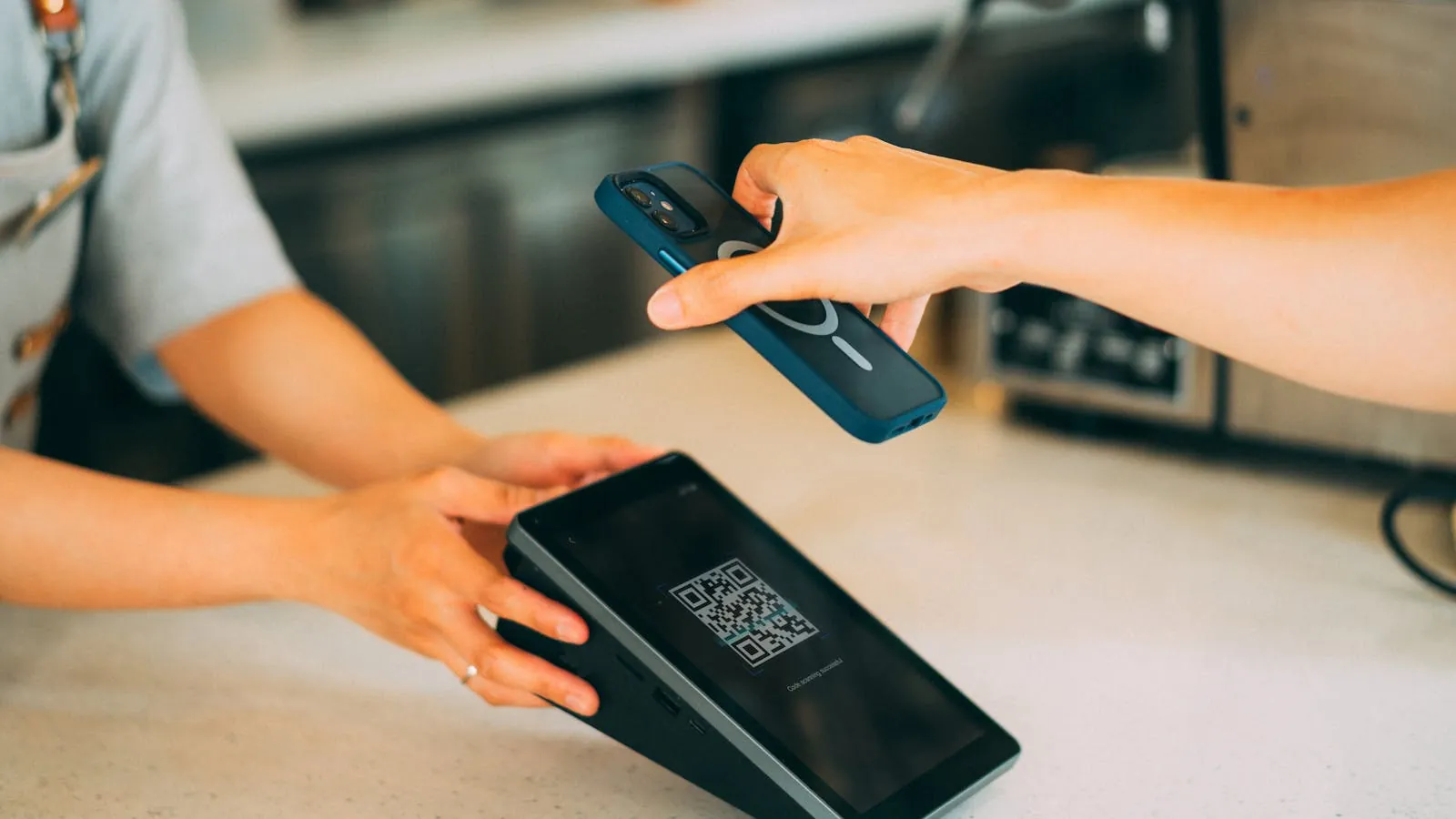
The second-best spot, because it catches the customer during the few seconds they wait for the payment to go through. The customer has their phone or card in hand, they are standing still, they are looking straight ahead: a small stand next to the reader, or a sticker on the counter facing them, lands right in their field of vision.
It is the moment when they have nothing else to do but wait. Do not waste that micro-pause with a blank.
🛍️ The bag, the packaging or the sleeve
A QR sticker on the bag, the cake box, the product sleeve. The customer gets home, reopens their purchase, relives the pleasure, and the QR is there at the second peak of satisfaction, at home, in peace, with no queue behind them. For businesses with a lot of takeaway (patisserie, shop, click & collect), it is a formidable spot that almost always gets forgotten.
🤝 Handing it over yourself
The most powerful of all, and it costs nothing: it is you, or your team, physically handing the QR to the customer with a word. "Here, scan this, you can try to win something for your next visit." A QR handed over in person, with a sentence, converts infinitely better than a passive sign, because it adds the human dimension and the reason to scan in one second.
No poster, however well designed, replaces that micro-interaction.
| Spot | At the peak of satisfaction? | Follows the customer? | Verdict |
|---|---|---|---|
| Entrance wall | No (before the experience) | No | Avoid |
| Table stand (retail) | Rarely | No | Weak |
| Receipt | Yes | Yes | Excellent |
| Card reader / counter | Yes | No | Very good |
| Bag / packaging | Yes (second peak) | Yes | Very good |
| Handed over in person | Yes | Depends on support | The best |
🥊 4. Why the receipt beats the table stand
I want to dwell on this comparison because it sums up the whole logic of the article. The table stand was the default solution for years, and it still makes sense in a restaurant with table service, where the customer stays seated, with nothing to do, waiting for the bill.
There, the stand lands in a real lull. If that is your case, keep it, it is working for you.
But in the vast majority of businesses with a till (shop, patisserie, beauty salon, hair salon, coffee shop), the stand is a silent failure for three reasons. One: it stays put, so the customer who did not scan in the shop will never scan. Two: it becomes invisible. The brain filters out the familiar surroundings, and a stand that has been sitting there for a month is no longer seen, neither by the customer nor by your team, who forget to mention it.
Three: it says "leave a review", so it asks for an unrewarded effort with nothing in return.
The receipt ticks every box the stand misses: it follows the customer, it arrives at the peak, it gets read again in the evening, and it costs nothing to produce. My advice from the field is not to choose between the two, it is to run both supports as a relay: the counter catches the customer in front of you, the receipt catches the customer who is leaving.
And on top, you add the hand gesture for the visibly happy customers. Three points of contact, one message, one reason to scan.
A specific situation at your point of sale? Write to me
💬 5. The message that gets people scanning: drop "your review matters to us"
The right spot with the wrong message is still a bad QR. And 90% of businesses display a variant of "Your review matters to us" or "Help us by leaving a review". The problem: these phrases talk about you, not about the customer. They ask them for a favour.
And a happy but rushed customer has no reason to do a business a favour, even one they like.
Compare that with a customer-focused message:
- "Scan and try to win": there is an immediate benefit. The phone comes out.
- "A quick game while we ring you up?": it is playful, not a chore.
- "Spin the wheel, walk away with a gift for next time": there is a concrete promise and an invitation to come back.
The legal nuance matters here, I always spell it out: you do not buy a review, and you do not tie it to a positive rating. Google's rules forbid it. What you are doing is livening up the moment of payment with a game that makes people want to pull out their phone, then you let the customer post a review freely and sincerely if they want to.
The game is the trigger for the gesture, the review stays free. That is the line never to cross, and that is exactly how we designed our mechanic.
To dig deeper into collecting reviews within the rules, I wrote a full guide: how to get more Google reviews in 2026 without cheating. And once the reviews start coming in, you still have to reply to them, because the reply counts as much as the review in the eyes of future customers: here is how to reply to Google reviews, even the negative ones.
⚙️ 6. The mechanic that turns a scan into a review (and a return visit)
We get to the heart of the matter. How do you concretely go from a QR taped to the wall to a mechanic that gets people scanning, gets them leaving a review, and as a bonus brings the customer back? That is exactly the problem we set out to solve with our prize wheel, and I will explain the logic because it holds true well beyond our tool.
The principle is simple. The customer scans the QR at the counter. The wheel opens straight in their browser, with no app to download. They spin the wheel, it is playful, it takes three seconds, and they win a prize you have set (a free coffee, a discount, a small gift, whatever you like). To claim their prize, they have to come back to the shop.
And along the way, the Google review is offered to them naturally, in the right context, on their screen, at the peak of satisfaction.
What changes everything compared with a passive QR:
- A reason to scan: we have replaced the unrewarded effort with an urge to win. The phone comes out on its own.
- Zero technical friction: 100% web, no app, no account to create. The customer is in the game within two seconds.
- A scan becomes a visit: since they have to come back to collect their prize, a customer who scans today drops by again tomorrow. The QR does not just manufacture a review, it manufactures return frequency.
- You stay in control: the prizes and their odds are adjustable, and an anti-cheat system (one spin per device) prevents abusive replays.
I am transparent on one point, because it is a rule for us: the wheel collects no email, no phone number. It serves two goals and only two: boosting your Google reviews and livening up your point of sale with a prize draw.
This is deliberate: the customer plays without handing over their contact details, so the barrier to scanning is even lower, and you stay clean on the customer-trust side.
📊 7. Measure to find out where it stalls (scan or conversion?)
A review QR with no measurement is flying blind. And most business owners look at the wrong number: they count the reviews, see there are few, and conclude "people do not want to leave reviews".
That is almost always false. The right diagnosis separates two completely different steps.
- The scan: how many people pull out their phone and scan. If that number is low, your problem is the placement or the message. The QR is not at the peak, or it gives no reason to scan.
- Conversion after the scan: among those who scanned, how many end up leaving a review. If that number is low, your problem is the landing page or the friction (too many steps, a badly configured link, no motivation).
As long as you do not separate these two numbers, you are treating the wrong symptom. A passive QR gives you no visibility: you only see the reviews that come in on Google, never the number of scans. A mechanic that counts the spins, like our wheel, shows you exactly how many people started the gesture, and you then know whether the brake is upstream (placement) or downstream (conversion).
That is the difference between tinkering and steering.
Also remember to physically test your QR once a month. A Google review link can change, a poster can get damaged, a sticker can get covered over.
A dead QR does not shout, it just makes your reviews drop in silence. 💀 Thirty seconds of checking with your own phone are worth more than a month of reviews lost without knowing.
🏪 8. And depending on your trade?
The logic of the peak of satisfaction stays the same everywhere, but the precise moment changes depending on your activity. A few examples of what I see working:
- Restaurant: the QR on the bill or the receipt, at the moment the well-fed customer pulls out their card. If you also have a digital menu, the menu QR can point to the same dynamic: I talk about it in the guide to the QR code digital menu in restaurants.
- Bubble tea, coffee shop: on the cup or at the counter, where the first sip creates the peak. I laid out a concrete case here: turning a bubble tea's Instagram buzz into Google reviews.
- Beauty salon, nail bar: at the moment the customer looks at herself in the mirror, just before payment. See how a beauty salon turns its customers into Google reviews.
In every case, the rule does not change: identify the instant when your customer is happiest, place the QR exactly there, and give them a genuine reason to pull out their phone. The rest follows.
✅ 9. If I had to sum it up in one sentence
A Google review QR code does not create reviews, it creates an opportunity to scan. That opportunity only becomes a real review if it lands in the right place (the point of payment), at the right moment (the peak of satisfaction), and with a genuine reason to pull out the phone (a game, a prize, and not a "your review matters to us" that motivates nobody).
Concretely: take the QR off your entrance wall. Put it on the receipt and at the counter, as a relay. Change the message to talk about the customer benefit.
And if you want the maximum number of scans, plug in an active mechanic behind it that turns the gesture into a game, like our prize wheel, so the review becomes a natural consequence instead of a request.
If you want us to look together at your point of sale and where to concretely place your QR, write to me on WhatsApp at +33 6 03 90 27 83. I will not sell you a miracle solution, I will tell you what I see getting scanned and what I see getting ignored in the businesses we work with.
And at worst, you walk away with two or three ideas to test as soon as tomorrow. It is free and no commitment. You can also see a demo before talking to me, if you prefer to judge for yourself.